Zoho Desk
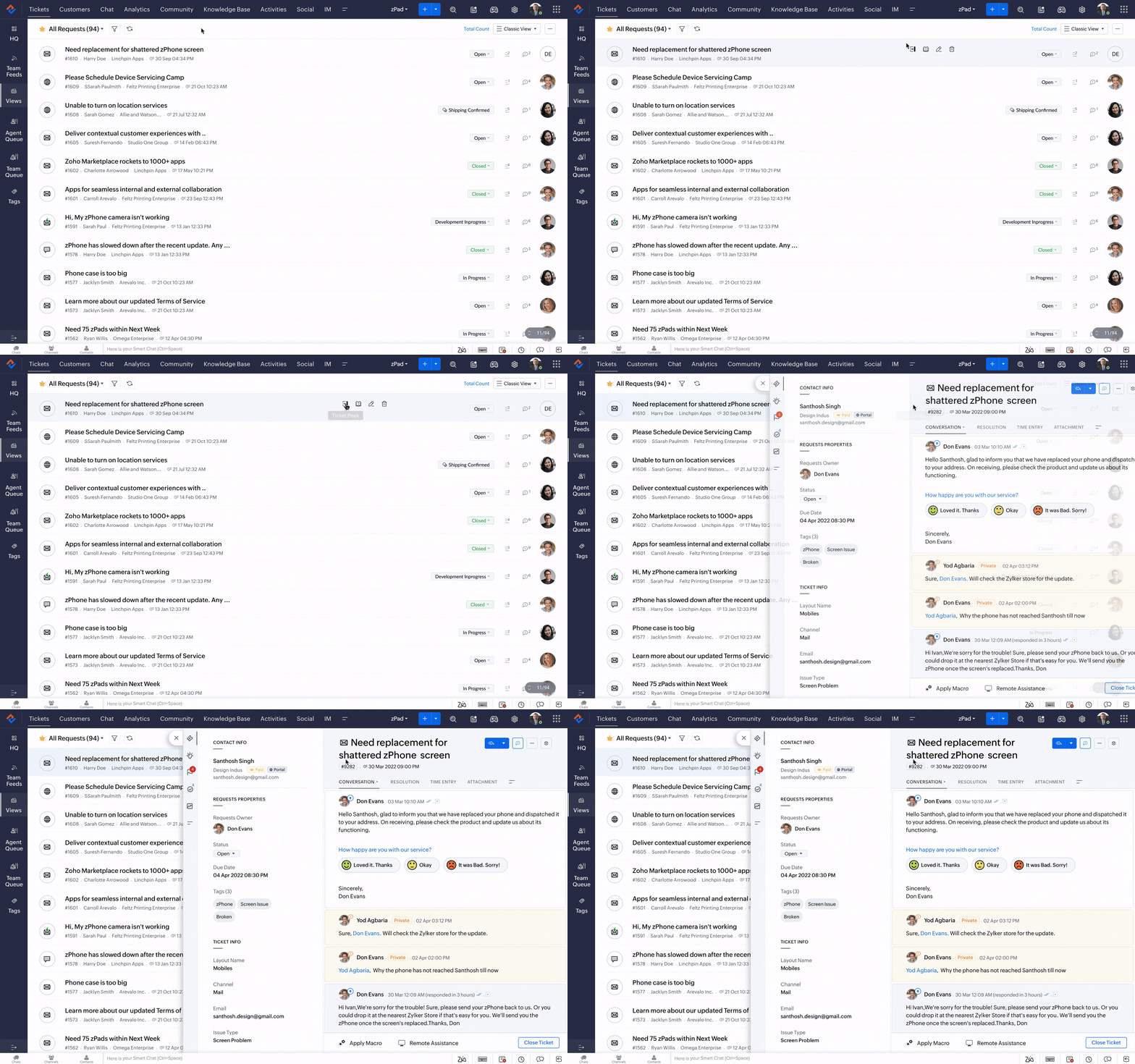
A fully configured Zoho Desk helpdesk setup gathers client emails, chats, and social media channels into one shared, intelligent interface.
Challenges faced by fast-growing companies
Unified Omnichannel Inbox
As a company grows, sales, marketing, and customer support often start working in isolation. Without a centralized CRM system, customer information gets trapped in disparate tools, leading to poor customer experience and slow deal closing.
Wasting time on manual, repetitive tasks
Your top salespeople spend too much time manually entering data, sending generic emails, creating tasks, and doing administrative tasks. Lacking advanced workflow automation, the focus shifts from sales to bureaucracy.
Making decisions “by feel”, without real analytics
Without advanced reporting and predictive analytics, management does not have a clear insight into which marketing campaigns are bringing in profit, which sales representatives are achieving the best results, and what the forecasted revenue will be in the next quarter.
Our approach to solving challenges
We focus on results that push the boundaries of your business.
01
Support Workflow Audit
We analyze your current customer communication channels, ticket assignment logic, and internal resolution times to map out an optimized multi-channel support blueprint.
02
Omnichannel Configuration
Our experts build your unified ticketing inbox, connect support emails, integrate social media channels, set up SLA rules, and structure your customer Help Center portal.
03
Agent & Admin Training
We deliver hands-on, interactive training sessions for your customer support agents and team leaders to ensure high user adoption and an immediate drop in response times.
Key benefits for your business
A comprehensive set of enterprise functionalities designed for complete control over the sales cycle and maximizing efficiency.
Unified Omnichannel Inbox
Consolidate customer tickets from email, chat, phone, and social networks into a single, clean dashboard, ensuring no customer inquiry is ever overlooked.
Smarter Automation & SLAs
Automate ticket routing based on department or agent expertise, and set up Service Level Agreements (SLAs) to escalate urgent tickets before deadlines expire.
Self-Service Knowledge Base
Create a robust, public Help Center where customers can find instant answers to common questions, significantly reducing your incoming ticket volumes.
Frequently Asked Questions
A standard Zoho Desk implementation typically takes between 2 to 3 weeks. This time frame includes structuring your support departments, configuring custom ticket fields, setting up automation workflows, launching your self-service portal, and conducting agent training.
Yes, absolutely. We can seamlessly embed a custom support widget or a dedicated ticket submission form straight into your existing website. This allows your clients to easily open tickets and browse your knowledge base articles without leaving your web domain.
Yes, it does. We can configure your platform to automatically convert direct messages, comments, and mentions from Facebook and Instagram into trackable support tickets. We can also set up Zoho Desk’s native live chat features on your website.
Zoho Desk features built-in Customer Satisfaction (CSAT) surveys that are automatically sent to clients once a ticket is closed. It also provides managers with advanced reporting dashboards to monitor agent resolution times, backlogs, and overall team performance metrics in real time.
Ready for digital transformation?